


PC gaming has been growing more than ever in recent years, however it is still relatively difficult to get into. When purchasing a console, you’ll know that every game you get will work on it, and there aren’t really any options when purchasing the hardware. This is not the case for PC gaming. There are pre-built gaming PCs, but these tend to be more expensive and won’t always fit your needs. However, building your own PC can seem daunting, especially if you have very little experience with computer hardware. In this guide I hope to acquaint you with the different components that are necessary to get a build going, and what you should be looking for when purchasing all of the parts.
What do I need for my build?
There are two important things your need to think about when starting a new computer build. What do I want to do on this computer, and what is my budget?
What do I want to do?
Knowing what you want to do with your computer is extremely important to get the most out of your money. This also ties into your budget very closely. Certain components are much more critical for some activities. For example, we’ll assume you all want to play new video games. The most important component for this scenario is your Graphics Card (GPU).
Components 101
CPU
The Central Processing Unit (CPU) is your computer. All of your programs and calculations are done using the CPU. CPU speeds have increased exponentially over the years. However, a single CPU hasn’t increased significantly for quite awhile. To further increase speed, CPUs have been made to run concurrently. This means that a dual-core or quad-core is essentially 2 or 4 processors running in parallel.
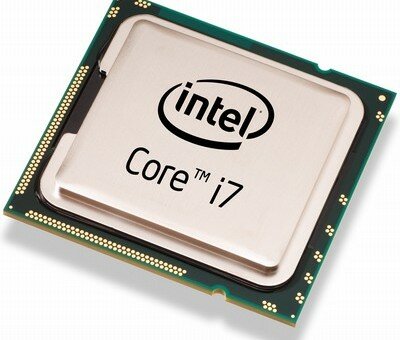
To take advantage of this, programs need to be multithreaded. A thread is essentially a portion of program that runs part of the overall product. This means that different parts of a program are run simultaneously on each part of the processor. For instance, a modern browser can have multiple tabs open at the same time. Each tab may be a different thread of the overall browser program, which allows for more tabs to be open and active at the same time.
The CPU is another important component for gaming, and is extremely important for streaming video. There are also two main manufacturers, AMD and Intel. Intel created the x86 architecture, and in general produce more powerful processors. However, this only really matters at the highest end. In general for quad-cores, AMD have comparable performance and cost significantly less.
Here there are a few numbers you’ll need to pay attention to, the clockspeed (e.g. 3.2ghz, 3.0ghz) and the number of cores. For most modern games you’ll only need a quad-core in the 3.0ghz range for clockspeed. This will handle most games even on maxed settings. You can even run your favorite music player, skype or whatever in the background too. This will also allow you to stream your gameplay to twitch for games like League of Legends and SC2 on high settings at about 720p. However, you will likely need a much more powerful processor if you want to max your settings and output your stream in 1080p at 60 frames per second.
Here is a link to the Tom’s Hardware link for the October 2013 CPU comparison:
http://www.tomshardware.com/reviews/gaming-cpu-review-overclock,3106.html
Tom’s does one of these monthly for GPUs and CPUs, so make sure you check the most recent one!
GPU
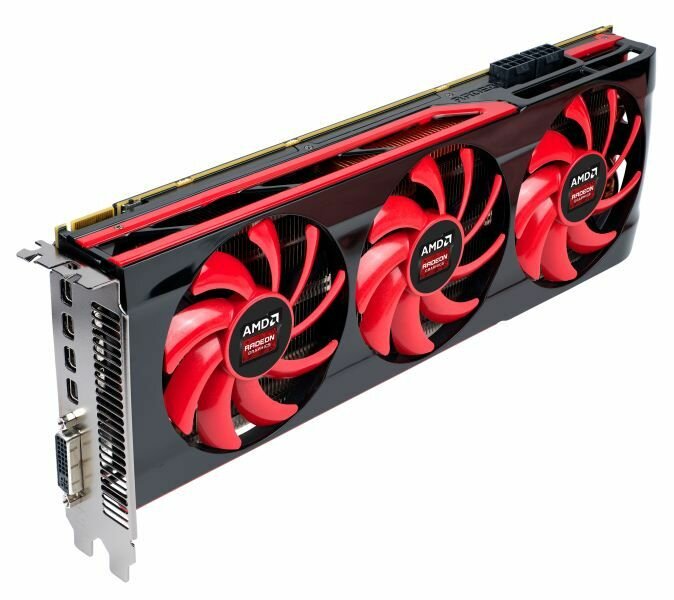 If you want to play modern video games your GPU (Graphics Processing Unit, or Graphics Card) is very important. This is where you’ll want to invest most of your money. The big question for choosing the right card for you is how high you want your settings to go, and on which games.
A GPU is essentially a specialized CPU. There are methods for writing programs to assign graphics processing to your GPU. Graphics libraries like Directx and OpenGL will allocate calculations for graphics to your GPU for you. For video games, most of the heavy calculations are done for graphics. For a game running at 60 frames per second, it needs to update what is seen by the player 60 times every second. That is a lot of calculations! This is why there is a dedicated processor for graphics.
Currently there are two options for add on graphics cards: Nvidia or Radeon. The difference between the two currently isn’t very large. Both are capable of SLi or Crossfire, which are just separate names for using two or more add on cards in tandem. Oftentimes using two of a lower powered GPU will give you slightly better performance than a single card you could buy for the same amount of money. It also allows you to start with a lower powered card then buy a second one later, requiring less money upfront. The downside to SLi and Crossfire are space, power and cooling. You’ll need a larger motherboard and case if you want to have multiple cards in your build, as the GPUs take up quite a lot of space. Multiple GPUs also require more power from your PSU (power supply unit), as both cards need power.
For more reference on GPUs check out this guide from Tom’s Hardware. This is the link for October 2013: http://www.tomshardware.com/reviews/gaming-graphics-card-review,3107.html
RAM
RAM stands for Random Access Memory, and is another important component for gaming. At the very minimum you’ll want 4 GB of RAM. 8 GB will allow you to go crazy on mods in WoW or Skyrim while listening to music and have skype open. The only reason to go higher is if you intend on using RAM heavy programs like Photoshop or Illustrator.
The amount per stick doesn’t make a difference for performance, but it does matter for expansion and space. Most motherboards will only have 4 slots for RAM sticks, and you need to use the same size and speed for all of your RAM. So if you plan on getting more RAM in the future, it’s better to get more RAM per stick.
Physical Memory (HDD/SSD)
Physical memory is where your information is actually stored between power-ons of you computer. Memory access speeds have developed much slower than processor speeds over the years, and as a result many programs will try to utilize cached memory (RAM) as much as possible. Still, there all programs will need to access your main physical memory at some point. There are still some games that load assets from physical memory during runtime, like Diablo 3 for instance.
The big things to keep in mind for your physical memory is how much you think you will need, the number of drive slots you have, and the number of inputs on your motherboard. First of all, there are two main types of drives for desktops: Solid State Drives (SSD) or Hard Disk Drive (HDD). Solid States are much quicker and access memory at a higher rate than Hard Disk. They are also much less likely to fail, as they have no moving parts, unlike a Hard Disk. The tradeoff though is that they are still much more expensive on a per memory basis.
The next thing you need to ask yourself is, how much memory will I really need? For most gaming purposes 500GB is more than enough for all the games you will play. 500GB is anywhere from 30-50 different games, depending on if they are large AAA titles or smaller indie games. However, if you also want to produce audio or video content you will need much more space. An HD recording of only 2 hours takes up about 3GB of memory. This means that in 10 hours of video you have used the same amount of memory as 2 full installations of Starcraft 2 HotS.
If you are planning on creating video or audio content and storing it on your computer you’ll need multiple Terabytes (TB) of memory, otherwise one 500GB HDD should be sufficient. If you plan on gaming I also recommend getting a 90-120GB Solid State drive to increase performance greatly. Keep in mind that to get higher performance from a SSD you’ll need to install your Operating System and any programs you want better performance onto your SSD.
Motherboard
The motherboard is the bridge between all of your components. There are slots for your processor, RAM, and usually expansion SATA and PCI slots for GPUs and hard disks or disk drives. Most motherboards also have an onboard gpu, sound card and networking capabilities. This means that out of the box you would only need a power supply, motherboard and cpu to have a fully functioning computer. However, an expansion GPU and extra RAM are generally required if you want to play games or really do anything other than browse the internet and use a word processor.
The biggest thing to pay attention to when deciding on a motherboard is what socket-type it is. AMD and Intel processors won’t fit onto the same motherboard, and certain types of processors from the same manufacturer won’t work with a particular motherboard. The most common desktop socket types are AM3+ for AMD processors and LGA 1155 for Intel processors.
The next thing you’ll need to worry about is your form factor and expansion inputs. If you are planning on putting a bunch of different hard disks and disk drives in you’ll need more SATA ports. If you want an expansion GPU (you do) you’ll need PCI Express ports, and possibly more than 1 if you want to have onboard wifi or are planning on SLI or Crossfire. The main form factors are ATX, Mini-ATX and Micro-ATX. These refer to the supports that you will mount your motherboard to your case with, so it doesn’t really matter which form factor you use so long as it is compatible with your case. If you want to SLi or Crossfire in the future you will likely need an ATX board.
Monitor
The monitor is another of the most expensive single part of building a new computer, and one of the most important ones. The only compatibility issue with a monitor is the input to the monitor and the output from your GPU. If you get an expansion graphics card you’ll be outputting video from it. In general GPUs will have some combination of VGA, DVI and HDMI outputs. Both DVI and VGA only output video, but HDMI does audio and video. It’s important to check that both your gpu and monitor have matching video inputs and outputs.
Which size monitor and what specs do I need? Most people get a monitor that can output 1920x1080p, which is a 16:9 aspect ratio, as most games and movies are made for that aspect ratio now. Generally you’ll want somewhere between 20” and 24” when sitting eye level 3 feet from the screen. The last number you’ll need to worry about is the refresh rate. This is measured in hertz (hz) and should be at least 60hz. Ideally games run at 60 frames per second, and if your monitor doesn’t have at least 60 updates per second there wouldn’t be any use in those extra frames. So getting a 60hz monitor will allow you to see all the glorious frames that you paid for!
Power Supply Unit (PSU)
While not something most people think about when building a computer, the Power Supply is very important. This is what actually brings power from the wall to your computer. If you don’t get the right amount of wattage you can blow out your components, which will end up costing you a lot of money, or it won’t turn on at all.
You’ll need to make sure that you have the correct connectors for each of your components. There will be power for each of your GPUs, CPU and to the motherboard for SATA and other connectors, as well as connectors for each of your fans. Many PSUs will use modular connectors, so it will come with a 20+4 or a 4+4 connector. A 20+4 will work for a 20 pin and 24 pin connector.
The other thing that must be taken into account is the power consumption of the system, which is measured in watts (W). 550W power supplies will be able to handle most modern single card systems, but the wattage varies greatly as you get into SLi or Crossfire. If you plan on using more aftermarket fans or some other method of cooling, you’ll also need more power.
Case
There are a few things that need to be kept in mind while purchasing a case. Firstly is the size, which are most commonly mid-tower or full-tower. It is important to get a matching form factor for your motherboard, for instance you’ll need an ATX case if you have an ATX motherboard. Most single card builds will fit inside a mid-tower, but if you want multiple cards a full-tower is almost required.
The next thing to keep in mind is airflow. Things to consider here are the number of fans placement of fans, and side panels. Having a fan and open side panel near your GPU can greatly help longevity of your system. Some cases also have removable dust covers which makes them easier to clean.
Finally, there are two main materials that are you used for cases. Most come in either aluminum or steel. Aluminum is lighter, but is more expensive. Steel is heavier but cheaper, and both are similar for durability. So if you know you will be moving your computer a lot you may wish to opt for an aluminum case, otherwise it’s best to stick with steel.
Useful Resources
Here are a few helpful sites for buying or picking any parts you’ll need for you build.
Newegg, Online Computer Parts Store: http://www.newegg.com/
/r/BuildAPC, Subreddit community for PC builds: http://www.reddit.com/r/buildapc
PC Part Picker, Useful tool for managing prices and components: http://pcpartpicker.com/


